Cricket, PSL, live casino, slots, fast deposits in PKR — everything that makes TD77 great is now inside one lightweight app built specifically for Pakistan players.
Android APK — direct install, no Play Store needed
iOS web app — add to Home Screen for native feel
All bets and transactions in Pakistani Rupees
Live casino and sports betting around the clock
Whether you are running Android or iPhone, TD77 has a solution that puts the full platform on your home screen within minutes.
Download the TD77 APK file directly to your Android phone or tablet. No Google Play Store required — the install is straightforward and takes under a minute once the file is downloaded. Works on Android 6.0 and above, covering the vast majority of Android devices currently in use across Pakistan.
iOS users access TD77 through the mobile-optimised website and can add it to their Home Screen for a full app-like experience. The TD77 web app on Safari loads fast, works offline-first and gives you all the same features — sports betting, live casino, deposits and withdrawals — without any App Store download needed.
For most players in Pakistan, the phone is the primary screen. Whether you are following a live PSL match, keeping an eye on international cricket odds, or just spinning a few slots during a lunch break, having the TD77 app installed makes all of that available with a single tap rather than opening a browser, typing in a URL and waiting for a site to load.
The difference between using TD77 through the app versus a standard browser session is noticeable in everyday use. The app version loads faster, feels more responsive on touch screens, and keeps you logged in between sessions so you are not re-entering credentials every time you open it. Push notifications — available on the Android app — mean you can get match start alerts and promotion updates without having to check the platform manually.
The TD77 app also handles live streaming and live casino feeds well on mobile internet connections. Anyone who has tried watching a live stream on a poorly-optimised mobile site knows how frustrating buffering and layout shifts can be mid-match. The TD77 mobile app is built with these conditions in mind — it runs on standard 4G connections without constant buffering and adapts sensibly to smaller screens rather than just shrinking a desktop interface down to an unusable size.
For players who bet on cricket regularly — PSL matches, T20 internationals, Test matches — having quick access to live odds is important. The TD77 app gives you that without the friction of a browser session. Place a bet, check the live score, switch to a casino game, come back — the app handles all of it smoothly and keeps your session state intact throughout.

Before installing any APK outside the Play Store, Android requires you to allow installs from unknown sources. Go to Settings > Security (or Apps > Special App Access on newer Android versions) and enable "Install Unknown Apps" for your browser or file manager. This is a standard one-time step for any direct APK install on Android.
Open Chrome or any browser on your Android device and go to td77.vin. The site automatically detects mobile Android and presents the download option prominently on the page.
Tap the Android download button on the TD77 Download page. The APK file will begin downloading — it is a small file and should complete in seconds on any reasonable mobile connection, including standard 4G.
Once the download is complete, tap the notification or open your Downloads folder and tap the TD77 APK file. Android will ask you to confirm the install — tap Install to proceed. The process takes a few seconds.
The TD77 app icon will appear on your home screen. Open it, log in with your existing account or register a new one — and you are ready to go. Your balance, bet history and settings all carry over from the website seamlessly.
TD77's iOS web app works best through Safari. Open Safari and navigate to td77.vin. The site loads in full mobile-optimised mode — you will see the same layout and features available on the Android app.
At the bottom of the Safari browser, tap the Share icon — it looks like a box with an upward arrow. A menu will slide up showing various sharing and saving options.
Scroll through the share menu options and tap "Add to Home Screen". You can rename the shortcut if you like — TD77 is already set as the default name. Tap Add in the top right corner.
The TD77 icon will now appear on your iPhone home screen just like any other app. Tap it to open TD77 in full-screen mode without the Safari address bar — it feels and behaves exactly like a native app.
Log in with your TD77 account details or create a new account. Everything is available — sports betting, live casino, slots, deposits in PKR via JazzCash or Easypaisa, and withdrawals — all from the icon on your home screen.

Here is a straight comparison so you can decide which option suits your setup best.
The TD77 app is not a stripped-down version of the full platform — it is the complete experience designed and optimised for mobile screens. Every section available on the desktop site is accessible inside the app, and in several areas the mobile version actually performs better because it has been built with touch interaction and smaller screens in mind from the start rather than as an afterthought.
Sports betting on the TD77 app covers all the markets you would expect — cricket naturally gets the most coverage, with PSL fixtures, international T20s, Test matches and one-day internationals all fully supported. You can place pre-match bets or follow live odds as a game progresses, with the market updating in real time so you always have current prices rather than stale odds from before a wicket fell or a boundary was hit. Football betting is also well represented, covering major leagues and international competitions.
The live casino section inside the TD77 app runs on the same streams as the desktop version — Baccarat, Roulette, Blackjack, Dragon Tiger and game show titles all available with real dealers. The video quality scales sensibly to your connection speed, so if you are on a slightly weaker signal the stream steps down gracefully rather than breaking entirely. Betting controls in the live casino are well-spaced for touch use, which makes a real difference when you are placing bets under time pressure before a round closes.
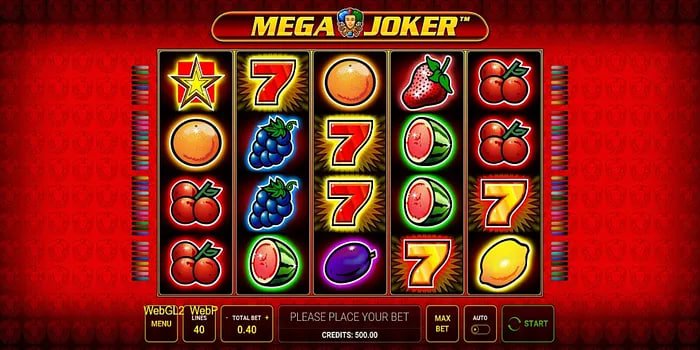
The slots section gives you access to the full TD77 games library from your phone. Titles load quickly and play smoothly — this is partly because the TD77 app caches game assets intelligently so repeated visits to the same slot do not require a full reload every time. Crash games and instant win titles work particularly well on mobile because of their simple interfaces — the tap-to-cash-out mechanic in crash games, for example, is actually more intuitive on a phone screen than on a desktop where you are clicking with a mouse.
Deposits and withdrawals within the TD77 app are fully functional and cover all the standard Pakistan payment methods — JazzCash, Easypaisa, Raast, Bank Transfer and card payments. For JazzCash and Easypaisa, the app integrates smoothly with the flow so completing a deposit does not require jumping back and forth between multiple apps unnecessarily. Withdrawals are processed through the same interface, and your PKR balance updates as soon as the transaction is confirmed.
The TD77 app uses the same encrypted connection as the website — your account details, payment information and personal data are protected by the same security infrastructure regardless of whether you access TD77 through the app or a browser.
If your phone supports fingerprint or face unlock, you can use biometric authentication to log in to the TD77 app on subsequent visits rather than entering your password each time. It is faster and more secure than relying on a saved password in a browser.